Install the EPMware Application
EPMWARE Application WAR file
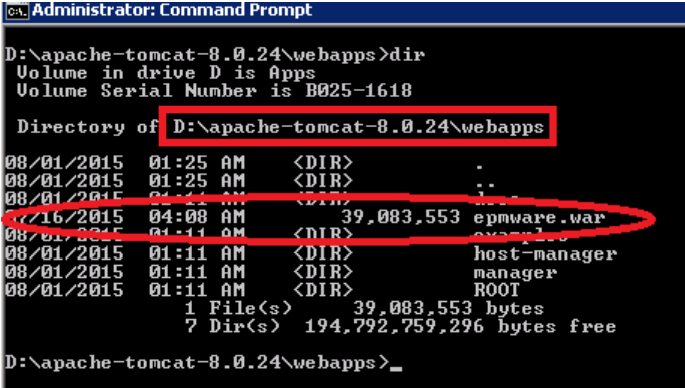
Copy epmware.war file to <apache>\webapps folder.
Windows System Environment Variable
Setup environment variable for JRE_HOME
- Locate folder where JRE is installed.
- Go to Control Panel→ System→Security\System , select Advanced System Settings.
- Select Environment Variables button
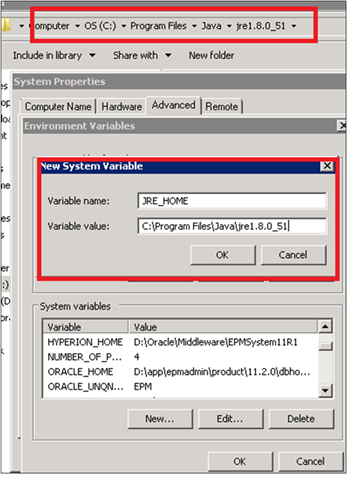
- Create New System Variable for JRE_HOME as shown below.
Next Steps
Once you have reviewed this getting started section and completed the prerequisites: